Showing posts with label Temperature. Show all posts

Tuesday, July 27, 2010

HD Tune Pro helps keep laptop alive

I have always recommended HD Tune for use in monitoring the temperature of a laptop hard drive, but never thought I'd use it as a maintenance tool. It was only recently, after Penny's HP Pavilion DV6204EU laptop started doing wierd things, that I decided to try out the new HD Tune Pro to see if it could tell me anything about her hard drive.
I have always been frustrated with her laptop, since the laptop blocks or hides the SMART information on the drive, and SpinRite won't run. So the normal preventive maintenance gets really tricky, and I have never had the courage to remove the drive and plug it in to a different machine to run SpinRite. After installing the trial version of HD Tune Pro I ran the "Error Scan" and discovered to my horror that there were multiple bad sectors on the drive. This could easily explain why the laptop was freezing from time to time. Next, I ran "chkdsk /R" to get Windows to move any data from those regions, and mark them as bad.
The screen shot above shows the result: the bad sectors are in red, and the rest of the drive seems to be OK. It also shows the "Speed Map" of the drive, with the faster regions near the outside. I'll be monitoring it for further bad sectors, and plan on replacing the whole thing as soon as funds permit. Had HP not blocked access to the SMART information, these problems could have been avoided a long time ago. I won't be replacing it with another HP laptop either; Acer never had this problem.
I have published a more detailed review of HD Tune and SpinRite on my new reviews site. Benchmarks are still under way.

Wednesday, February 04, 2009

Hard Drive Temperature Is Critically Important

I learnt the hard way that an overheated hard drive is something to avoid: once the drive overheats it becomes permanently damaged, and loses data. Spinrite refuses to run when the drive gets too hot, because it's the quickest way of destroying data. So I use HDTune to monitor the temperature of my drive while I'm working.
This has already saved my drive a few times, because I can't always work in an airconditioned office. The other day I hit on a brainwave: instead of buying a USB-powered fan or notebook cooler, why not use a device found in most kitchens: a "Cake Cooling Tray"? I paid R39.00 (less than $4) from "@home, the homeware store" in our local shopping mall.
It measures 349mm x 235mm x 19mm and it fits easily into my laptop bag. It's silent, unobtrusive, and works like a charm. It costs a fraction of the price of a specialised fan (see photo above).

There is also hdTempLogger but I haven't tested it.

Bypass Vista's Defender Startup Program Blocker

Don't you hate it when you install a program that is supposed to run at startup, and "Windows Defender" blocks it?
Well, there is a way around this annoyance. Use the Task Scheduler to schedule a task after the user logs on. Here is an example using HD Tune. Delete the Defender entry, and then run the Task Scheduler. Create a new task, and set the general description.
Make sure you select "Run with highest privileges". Now go to the "Triggers" section, and add a new trigger:
The task should begin "At log on" and delay it for 30 seconds or so:
Now go to the "Actions" section:
Add a new action, to "Start a program", and browse for the program file to be launched.
Next, go to the "Conditions" section
Remove any of the conditions ticks, and then go to "Settings":
Now adjust the settings as shown. Voila! Save and close the scheduled task, log off and log on again to test it.

Tuesday, May 29, 2007

How hot is your hard drive?

The biggest problem on laptops is cooling, because everything is cramped into such a tiny space. What many people don't realise is that if your hard drive overheats it will fail. Catastrophic failure from overheating will lose more data than if you drop your laptop. You could lose everything. It happened to me.
I wish I had found this utility earlier. It's called HDTune, and its most useful feature (for me at least) is that it can tell you the temperature of your hard drive, and warn you if it's getting too hot.
Had I seen this warning message when I first bought my IBM ThinkPad laptop, the drive may never have crashed, and I wouldn't have lost weeks worth of time waiting for it to be fixed and reinstalling everything.
You can also scan your hard drive for errors and see the speed of the drive. I'm not a hardware junkie so this doesn't mean too much to me, and I use Spinrite from time to time to test the drive properly, so all the other data is lost on me. It isn't always able to get the drive temperature from the hard drive hardware. This depends on the hardware itself.
The program is only 392kb in size, and only uses 868kb of RAM when it's running, so it isn't bloatware. For the most part all you see is a small icon in the system tray (next to the time) with a temperature reading. The program can be set to load when you start Windows, and it just works. Brilliant!

Friday, February 16, 2007

The Laptop is in the Refrigerator

Penny's IBM ThinkPad R31 laptop has had a cooling problem for some time now because the motherboard is defective. Yesterday the hard drive developed a fault and the machine couldn't boot. Most likely the fault is because the drive runs too hot because the motherboard is faulty.
I booted the machine up with Spinrite, and after a minute or so it warned me that the drive was too hot. The only way I could run Spinrite's diagnostics was to put the entire laptop in the fridge. See photo. So far Spinrite has identified a part of the drive that is faulty, but I should be able to get around 98% of the data off the drive. If it wasn't for Spirite we would have lost most of it long ago.

Friday, October 06, 2006

Keep your cool while using your notebook

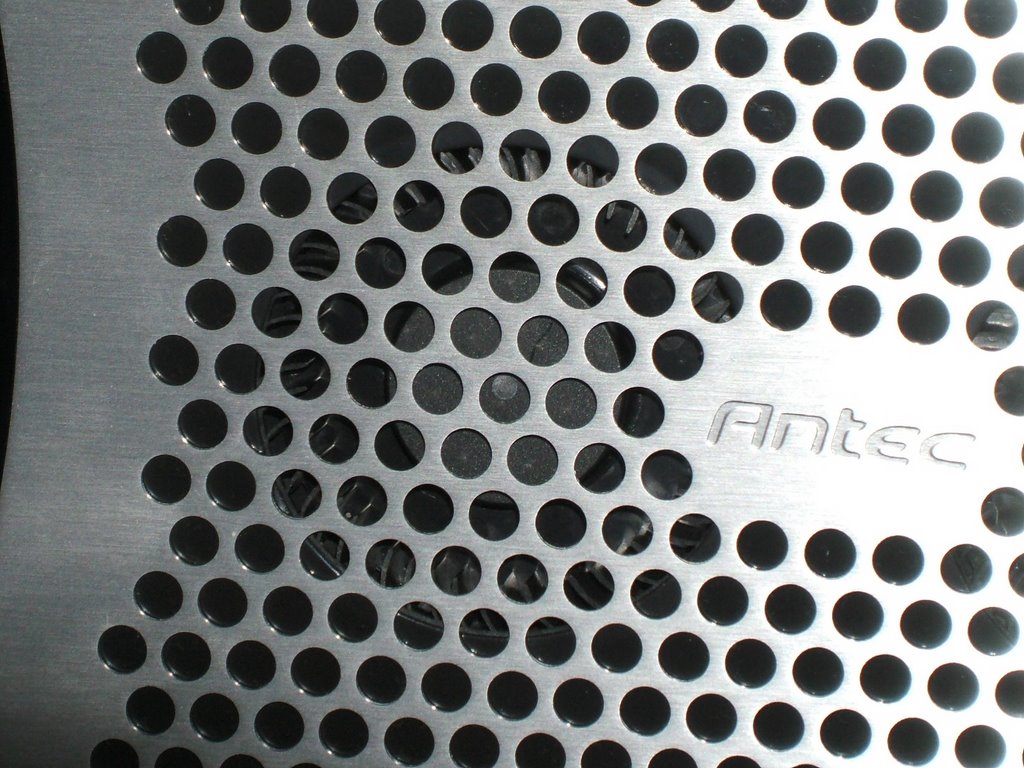
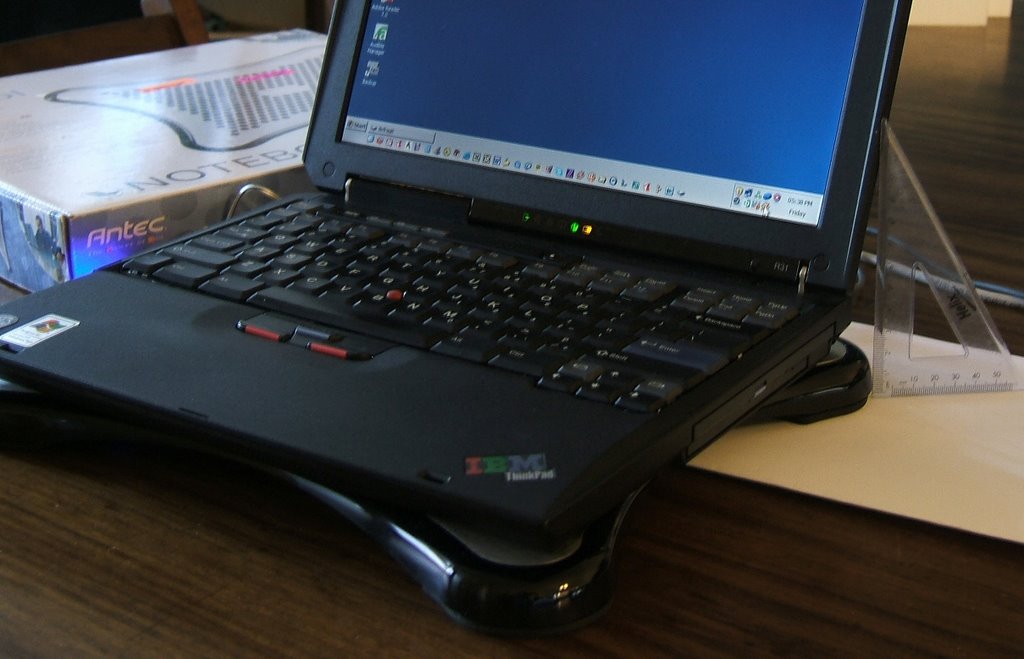
After my disaster with the "blower" that sucks, I bought the Antec Notebook Cooler. My laptop is now an extra 2cm above the ground, with the cooler underneath. It uses two cyclone fans to draw air from the underside of the laptop and extract it to the back and the right. The photo shows the top part. The two darker circles are where the fans extract the air and eject it out of the sides. Basicaly this turns the bottom of your notebook into a cooling area. I may need to modify it a bit to get it to keep Penny's ThinkPad R31 sufficiently cool, since its fan has stopped working reliably and the hard drive overheats when you run Spinrite.
The power is obtained from a USB connection, and they thoughtfully allow the USB connection to daisy-chain with another device, so Penny can still use her USB mouse and the cooler fan. The photo* abve shows the power cable plugging in to the USB connector on the left.
This photo* shows a close-up of one of the two fans.
This photo* shows the ThinkPad R31 on top of the Notebook Cooler. As you can see from the ruler on the right, the keyboard sits about 4-5cm above the desk.


* Click for a more detailed image.

Friday, September 29, 2006

Thermaltake Mobile Fan is really cool

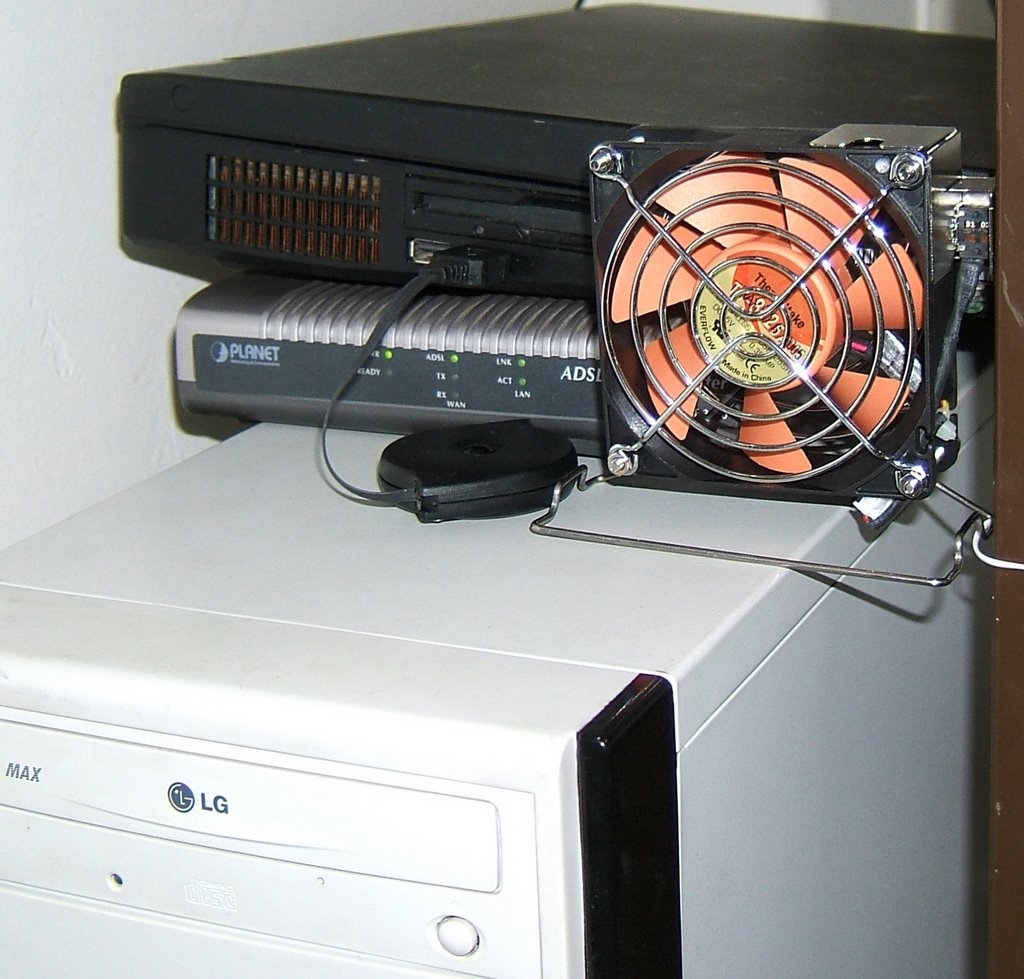
The Thermaltake Mobile Fan II is great. It's quiet, the controls work nicely and it gets the job done. It's the perfect solution for my ThinkPad G40 which is now an Ubuntu Linux server under my desk. The extra airflow will no doubt help keep the laptop cool, and help it last a little longer.
The mini tower case with the LG CD drive is the Isogo gateway/firewall that does the Isogo VPN miracle that connects me to the Men's Clinic network. That's the box I wanted to put the Antec blower in, to help with cooling. On top of it is my Planet ADSL modem and then the black box is the IBM ThinkPad G40 with the lid closed. That's what the fan is for: to keep the top two items cool. It is doing a great job.

Friday, August 25, 2006

ThinkPads Hit the Fan

What is it about IBM ThinkPads and their cooling fan? Last week my G40 stopped working, and I took it in on Friday to have it repaired. I'll only know in 96 hours what the cost will be.
This week Penny's R31 laptop started overheating. Same problem: the fan just doesn't turn fast enough. Are ThinkPads all this unreliable? A quick Google search mentions other people having problems with their fans. I'm sure that the cooling system on my G40 isn't adequate, and I'm going to retire it to become a Linux server when I get it back. But surely a simple R31 with a small hard drive, not that much memory and student usage isn't nough to make the darn thin conk out after a few months usage?