
I have used and recommended
LastPass for years. It has allowed me to create random passwords for a gazillion websites that I have used or visited over the years. But I no longer wish to pay for the service: I have found the open source
BitWarden product instead. I migrated all my passwords to
BitWarden, and it seems to work just as well.

It seems, however, that
LastPass just doesn't want to say goodbye. No matter what I do,
I can't delete my account. And they don't make it easy, either. First, you have to find the part of the website that "enables" you to delete the account.
Log in to your
LastPass account and click on "Account Settings" at the bottom left. Then scroll down to "Account Information" and click on the "My Account" link.
Don't waste your time trying to cancel your
PayPal recurring payment. There isn't one.
LastPass stopped using
PayPal, but hasn't updated its website to reflect this.
Nor has it informed its customers. So, you will be sent on a wild goose chase at
PayPal that will only waste your time and achieve nothing.
#Strike1
Rather, click on the button to "Delete or Reset Account".
I suggest you export all your data and click on the "Reset" button. This ensures that you no longer have any passwords stored on the
LastPass servers. At least that part works.
Now let's try deleting the account. Click on the "Delete" button.
You should get this fancy dialog box. Click on "Yes" because, actually, we do remember the
LastPass master password. How else would we have been able to log in if we didn't?
This dialog box is broken. Presumably it would ask me to type in the master password, or something. I have no idea.
#Strike2
Go back to the delete button and answer "No" to the question about remembering the master password. Let's see if that works. Click on the "Send Email" button, just to waste your time.
#Strike3
OK, so now you look in your mailbox for the message from
LastPass. If you are using Gmail, it's in the "Updates" section of your inbox.
So despite being told to "
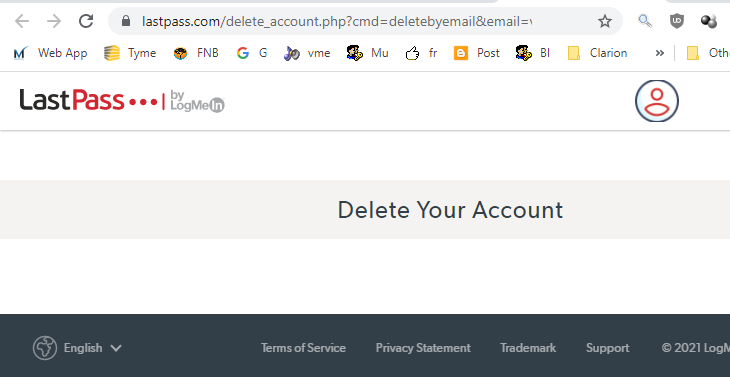
never click on an email link", we have to click on the email link in the message, which takes us to the following page:
Notice that we didn't have to log in to get here because we don't know our master password, remember? Fortunately, the link does expire after a while.
There are supposed to be some buttons and other confirmation goodies on this page, but they aren't there.
#Strike4.
So, I contacted the
LastPass "help" desk.
No help whatsoever. They asked me to try various things, all of which are mentioned above.
#Strike5.
The
Twitter account ignored my case number and told me to try various things, which didn't help. The link to their "
help" mentions buttons that do not appear on the screen.
So far I have tried the following browsers:
- Internet Explorer 11. No extensions or add-ons
- Google Chrome, including Incognito mode, with all extensions disabled.
- Firefox, including private browsing, with all extensions disabled.
- Microsoft Edge, with no extensions.
I'm running out of options here.
I guess I'll have to wait until my "membership" comes up for renewal and see what happens then.
Update Tuesday 10th August: I tried posting in the LastPass "
Community Forum" with some interesting results:
- The link to this blog article was deleted. #Strike6
- My question about "Does LastPass have ties to China?" (from the GRC forums) was deleted completely from my LastPass forum post. I'll take that as a "yes".
I asked a simple question:
"Why can't you guys just use basic HTML that is guaranteed to work on all browsers? Clearly this super-sensitive, entirely vulnerable, overly engineered JavaScript spread out over several modules doesn't work."
Let's see if we get a coherent answer.
Update 2: Apparently this is the screen I'm supposed to get:
I decided to try downloading a
VirtualBox image from Microsoft that contains just
Windows 7 Enterprise Edition and
Internet Explorer 11. It only works for 90 days and is designed for web developers to test their websites.
After setting the DNS servers to 1.1.1.1 and 8.8.8.8 in the network settings, I ventured to the lastpass.com page and got the same result as before. This time I was using the default settings for IE 11 as recommended by
Microsoft.
I also tried downloading and installing
Firefox, and got exactly the same result with their default settings.
This is the
Brave browser, again using default settings.
Here is Google Chrome, using default settings.
Finally,
Microsoft Edge for Windows 7. It must be
Windows 7 that is faulty. So let's try the
Microsoft VirtualBox image with
MSEdge and
Windows 10.
The
original Microsoft Edge browser with default settings.
The
new Microsoft Edge browser with default settings.
The creaky old
Microsoft Internet Explorer 11 browser with default settings.
So if it isn't the choice of browser, or the choice of
Windows version, maybe, just maybe, it has something to do with the lastpass.com
website? I'm pretty sure the
LastPass "help" centre is connecting to another version of lastpass.com, probably the one on their Intranet.
It seems that
I'm not the only one who has had this problem.
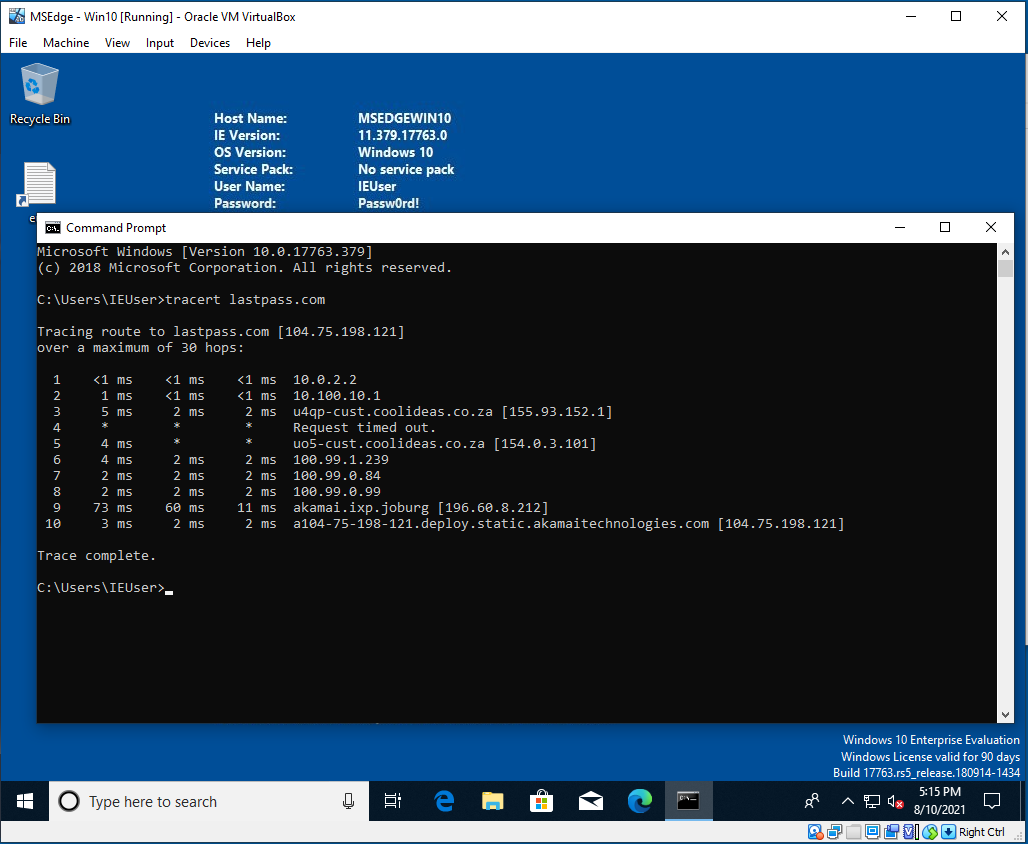
Update Wednesday 11 August: Remember my trace route (image above)? Well, I got this illuminating response:
Thanks, Glenn, for disregarding possibly helpful technical information. My confidence in your organisation has grown in leaps and bounds.
#Strike7
Remember the definition of insanity? Repeating the same thing over and over and expecting a different result. Well, the
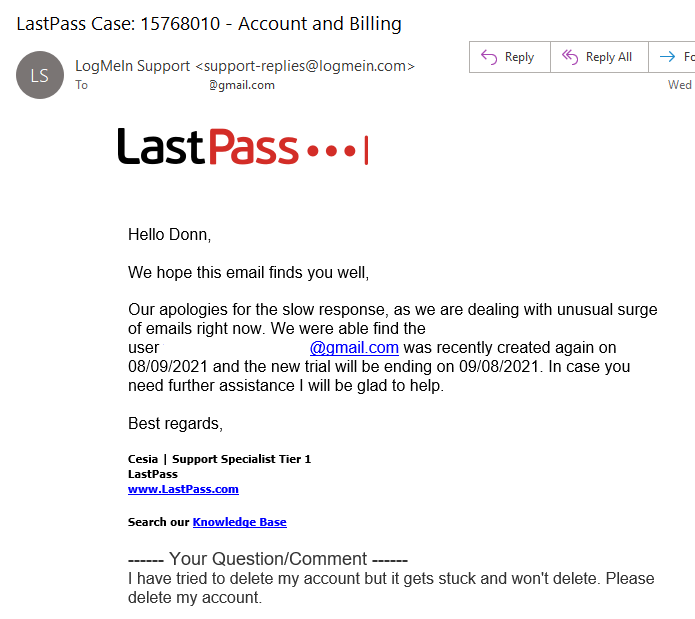
LastPass "Support" team seems to think that if they give you instructions that didn't work the first time, they will somehow work the next time. Maybe they just aren't saying it loudly enough.
Or if they say something completely incomprehensible, it will somehow make the problem go away:
See if you can figure out what this means. I have no idea.
On a different note, it now turns out that I need to cancel my subscription with
PayPal. I have already pointed out that I can't do that because the instructions provided no longer work. So now I have to give them screenshots to show how it doesn't work.
As you can see, there is no "Yes" button to click on.
So now we have some instructions that haven't worked since 2018, but let's try them anyway.
Step 1 and 2 still work: I can click on the gear icon. I can find the "Payments" section, but nothing about "Pre-approved payments" and only one active subscription (
Patreon).
I found two
LogMeIn entries under "Inactive" but there is no "Cancel" button.
#Strike8 Now I know what the pilots in
Catch 22 felt like.
Update Thursday 12 August: Eventually, the desired result:
I tried logging in, and it rejected my login. Yay!
It has only taken
two weeks to get them to cancel the account. Now I need to go through the same process for my wife's
LastPass account.









 A friend sent me a video about how bad too much sitting is (see some examples below), and my new experience confirmed this. Then I was told about a program that would interrupt you on the computer and force you to take regular breaks. One of these is
  This documentary is from the same producer who did the


